Changes for 0.5.11:
- Adding a track now inserts it after the
current one, if any; one can also drag and move
a track below the last one in the track list
(main view left pane).
- Extended Edit/Select Mode/Automation:
multi-selection mode, cut, copy, paste and
delete of current track's automation curve
nodes, now reached implementation ready status.
- Another old silent bug bites the dust:
changing track names were dropping any track
gain/volume and panning automation curves when
saving the session.
- A primeval processing bug has been sorted
out: aux-sends to audio output buses that just
appear to be after the input bus where they're
inserted were being left muted and silent (on a
ticket follow-up by Holger Marzen, thanks).
- Fixed a sure crash bug exposed when
processing of aux-send plugins when inserted too
early on audio input buses chain (after a ticket
report by Holger Marzen, thanks).
- Allow the build system to include an user
specified CFLAGS (patch by Cristian Morales
Vega, thanks).
- Shift/Ctrl keyboard modifiers now set to
extend current clip selection while in main
track view's Edit/Select Mode/Range, Rectangle
modes.
- Main Edit/Select Mode/Automation icon
retouched to look a bit more obvious and
intuitive, hopefully ;).
- Allow to change the velocities/values of the
current selected events which have the exact
same onset times and hide behind each other on
the MIDI clip editor's pane below the main view
piano-roll (i.e. the one that represents MIDI
event values as a bar chart).
- Fixed some problematic playback/export
muting and annoying cleanup freezing, due on
audio tracks with too many clips e.g. more than
hundred clip splits (hopefully fixes an issue
reported by Louigi Verona, thanks).
- LV2 UI resize feature support/control added.
- Fixed dedicated MIDI control and MIDI
metronome port connection restore conflict
(thanks to jhammen catch & patch:).
- New user preference option added: reverse
middle-button role to Shift/Ctrl keyboard state,
in special regard to edit-head/tail vs.
play-head positioning while on the main track
and MIDI clip editor (aka. piano-roll) views.
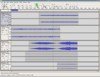
Qtractor is an Audio/MIDI
multi-track sequencer application written in C++
with the Qt4 framework. Target platform is Linux,
where the Jack Audio Connection Kit (JACK) for
audio, and the Advanced Linux Sound Architecture (ALSA)
for MIDI, are the main infrastructures to evolve as
a fairly-featured Linux desktop audio workstation
GUI, specially dedicated to the personal
home-studio.
Qtractor is free, open-source
software, distributed under the terms of the GNU
General Public License (GPL) version 2 or later.
Visit:
qtractor.sourceforge.net