Intended for beginners who don’t yet
need the advanced features in Studio One™ Artist,
Producer, and Professional, Studio One Free provides
all of the recording and editing features needed for
basic music production—and as its name implies,
it’s free.
To use Studio One Free, download the
Studio One installer by clicking on the link for
your operating system below, install, and then click
on Run the Free Version when the activation dialog
comes up. You can
then immediately use Studio One Free, no Internet
connection or user account is required, no product
key is involved, and Studio One Free will not time
out.
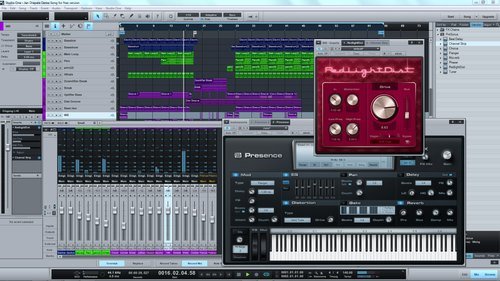
Studio One Free includes the
following features::
- Elegant single-window work environment
- Powerful drag-and-drop functionality
- Unlimited Audio and Instrument (MIDI) tracks
- Unlimited FX channels
- Two simultaneous inputs and outputs
- Unlimited inserts and sends per channel
- Single and multitrack comping
- Multitrack MIDI editing
- Track list with presets and mixing-console
link
- Track Transform (advanced freezing
capability)
- Content browser with search, user tabs, and
preview player
- Automatic delay compensation
- Easy-to-use sidechain routing
- Presence virtual instrument with 100+
presets
- Most intuitive MIDI-mapping system available
- Real-time audio timestretching and
resampling
- Compatible with any ASIO-, Windows Audio-,
or Core Audio-compliant audio interface
- Works with key commands from Pro Tools,
Cubase, and Logic—or create your own key
commands
- 8 Native Effects audio-processing plug-ins:
- Beat Delay – Tempo-Synchronized Delay
- Channel Strip – Dynamics Processing and
Equalizer
- Chorus – Mono/Stereo Chorus
- Flanger – Stereo/Mono Flanger
- MixVerb – Mono/Stereo Reverb
- Phaser – Stereo/Mono Phaser
- Red Light Distortion – Distortion
Processor
- Tuner – Instrument Tuner
Studio One Free is available now
from the PreSonus Studio One Web site.
Visit:
studioone.presonus.com/free