The update focuses on usability. The
main changes are :
- added: undo/redo
- added: A/B states switch
- added: midi learn
- added: midi program change support
- added: drag and drop support for preset
files
- GUI improvements
A note about the MIDI features :
To activate MIDI, click on the midi
icon at the bottom right (and don't forget to route
the MIDI data to the plugin in your host).
Please let us know if the "MIDI learn" is easy
enough to find and set up or if you need more info
about it.
Regarding "MIDI program change" :
there is a special folder named "MIDI
Programs" in :
[mac]
/Users/username/Library/Application Support/Tritik/Krush/presets/MIDI
Programs
[win]
C:\Users\username\AppData\Roaming\Tritik\Krush\presets\MIDI
Programs
You can put up to 128 presets in
there. They are scanned at start, and you can then
call them using MIDI Program Change messages.
A small known issue : depending your
host, and if you have other plugins from Tritik, you
may have 2 'Tritik' plugins folders showing up in
your host : one named 'Tritik' (capital 'T') and the
other 'tritik'. As we plan to update all the plugins
this soon won't be a problem anymore!
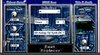
Krush is a lively bit-crusher and a
bit more. With its bit crushing and downsampling
algorithms, Krush combines the crispy taste of the
digital realm with the warmth of its drive stage and
analog modeled resonant filters. A modulation
section allows you to quickly add extra life to the
sound by modulating any parameter.
The sound palette produced by Krush
ranges from the dirtiest digital effects to crunchy
modulated colours, with all the classic and weirdest
bit-crushing effects in between.
Visit:
tritik.com/products/krush /
kvraudio.com/forum