New in Audacity 2.3.0:
- New feature – "Punch and Roll
Recording".
- Pinned-play-head can now be repositioned by
dragging.
- Play-at-speed now can be adjusted whilst playing.
- Toolbars controlling volume and speed can now be
resized for greater precision.
- Macros (formerly 'Chains') substantially extended
- New Macro palette.
- Macros can be bound to keyboard keys.
- New commands
- New 'Tools' menu.
- New 'Scriptables' commands.
- Nyquist gains AUD-DO command.
- Nyquist effects are now translatable and
translated.
- More dialogs have help buttons now.
- Increased legibility of trackname display.
- Half-wave option for collapsed tracks.
- Sliding Stretch.
- Dialog (option) for entering labels.
See: 2.3.0 New Features for longer
descriptions and links on how to use the new
features.
Bug Fixes
Over 90 bugs that were in 2.2.2
fixed, including:
- Windows: Queen Mary 1.7.1 Vamp
plug-ins crash Audacity on opening Plug-in Manager –
bug #1244.
- Inconsistent behavior when recording with a
selection defined – bug #1839.
- Ctrl + M does not open label for editing – bug
#1852.
- Vertical Zoom in by clicking in the vertical
Scale, or context menu, in waveform views is
inconsistent – bug #1810.
- Deletion of all tracks cannot be undone – bug
#1845.
- Timer Record with a selection present can get a
truncated recording with data loss – bug #1851.
- Duplicate shortcuts can be created – bug #1786.
- Labels longer than 260 characters are now
supported – bug #1905.
- Using Spectrogram Settings in TCP or using
Preferences causes Audacity to reset Project Rate to
default rate in Quality Preferences – bug #1977.
- Cut Preview should play all selected/sync-locked
tracks, respecting Mute/Solo during preview – bug
#231.
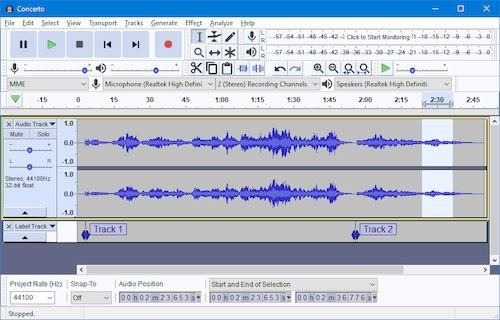
Audacity is a free wave (audio)
editor.
Visit:
audacityteam.org